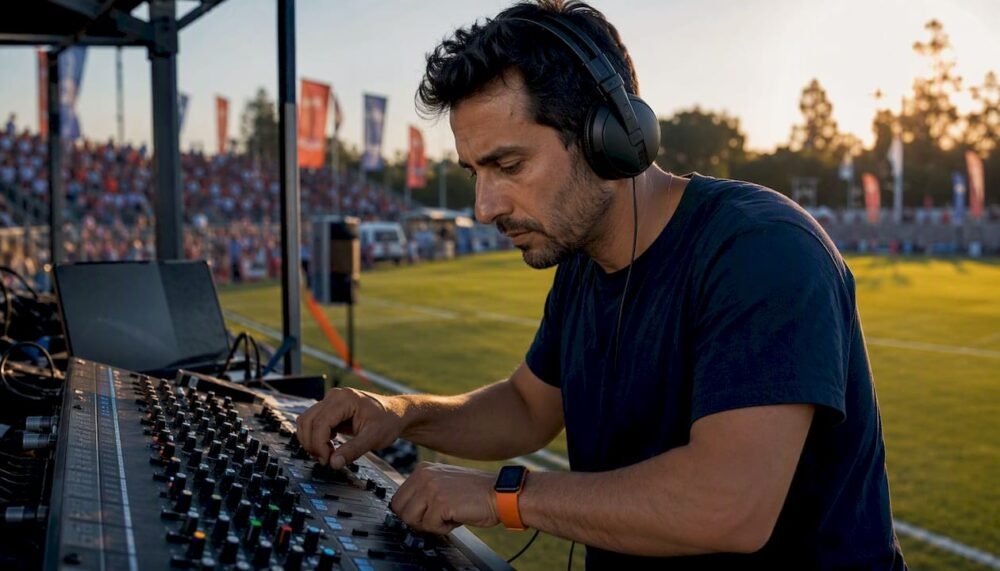
Set your PA zones with calibrated delay, lock separate SPL targets for music and announcements, and execute a 10-point soundcheck before tip-off. Those three disciplines separate a polished arena production from a chaotic one. Dj-phoenix has refined this workflow across high-calibre sports events, and the principles below reflect that operational pedigree.
Immediate checklist:
- Zone your PA (FOH arrays, delay towers, court-fill, subs) and label every zone in your DSP
- Set music SPL target at 95–100 dB SPL© at the mix position; announcer reference at 6–10 dB above programme
- Confirm delay timing for every distributed zone before doors open
- Load your cue sheet and hot-cue map; verify sub-2-second recall on 10 random cues
- Complete the 10-point soundcheck (detailed in Section 8)
Meyer Sound Constellation, which uses zoned shotgun microphones and real-time processing to redistribute crowd energy, represents the calibre of crowd-redistribution technology now available in Canadian arenas. Augmented crowd-sound systems are designed to reach high sound pressure levels at the playing surface to approximate authentic live crowd presence, with designers targeting 103–105 dB SPL at the court surface using line arrays at lower hang heights.
Table of Contents
- What PA topologies will you encounter in a Canadian arena?
- How do you set safe SPL targets for music and announcements?
- How do you calculate delay for distributed speaker zones?
- How do you keep announcer audio clear and feedback-free?
- How do you manage crowd noise without masking your mix?
- How should a DJ plan tracks and energy for an arena sports event?
- What does a reliable pre-event soundcheck look like?
- What equipment does every arena production need on site?
- What Canadian regulations and venue approvals do you need?
- What Dj-phoenix learned running PA and playlists at arena events
- Key takeaways
- The arena DJ as a production crew member
- Dj-phoenix arena event services: what we can deliver for you
- Useful sources and further reading
What PA topologies will you encounter in a Canadian arena?
Most Canadian arenas present one of three configurations, and knowing which one you are operating shapes every level and delay decision you make.
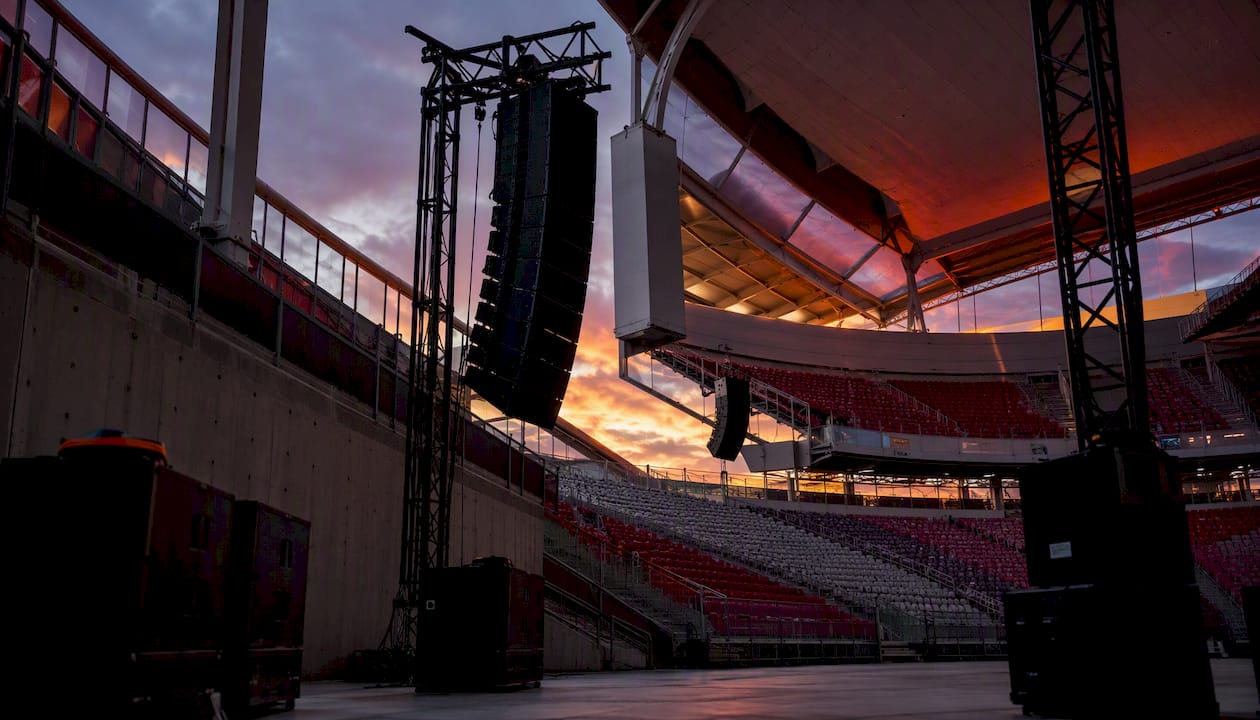
FOH main arrays hang centrally or at the four corners of the bowl. They cover the majority of seating and carry the primary music and announcement programme. The FOH engineer owns gain structure, EQ, and master levels on these.
Distributed fill and delay towers supplement the mains in deep lower-bowl seating, concourse areas, and end zones where the main arrays cannot achieve adequate coverage or intelligibility. Each zone requires its own delay offset to stay time-coherent with the FOH signal.
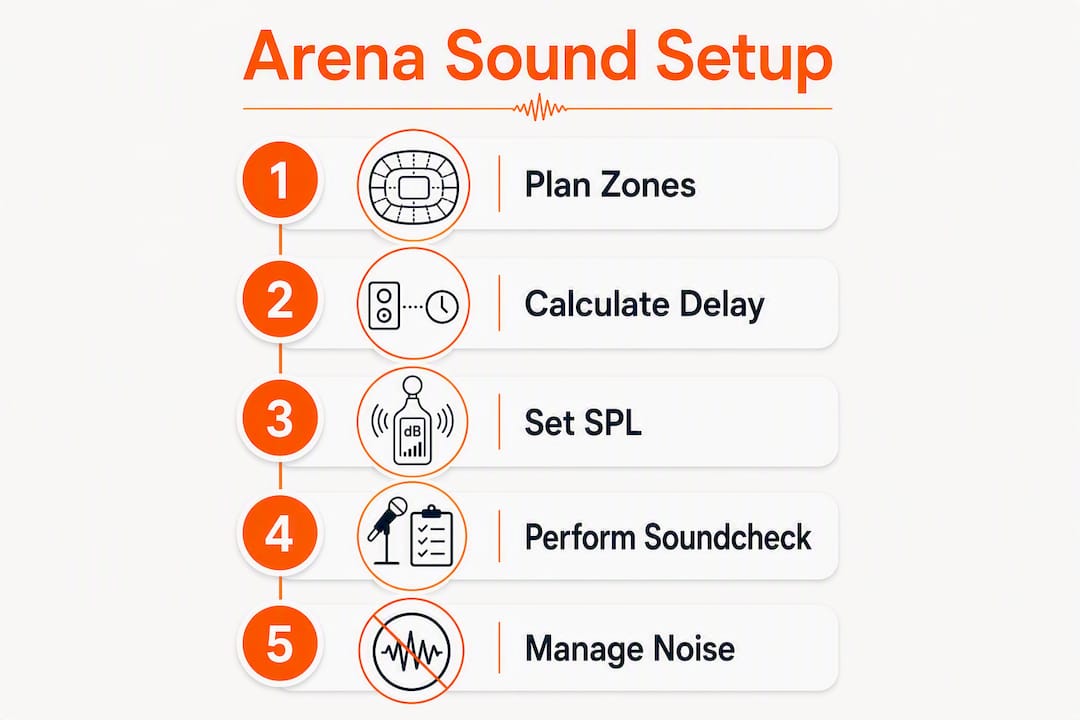
Court-facing crowd-sound arrays are a newer category, purpose-built to project ambient energy toward the playing surface rather than the seats. Meyer Sound’s Constellation installation at Stockholm’s Avicii Arena used 72 ULTRA-X42 loudspeakers, 72 shotgun microphones, and GALAXY network platforms across 12 controllable zones to redistribute crowd energy in real time.
Who owns what during the event:
- FOH engineer: main array levels, master EQ, and emergency PA priority
- Production manager / A1: zone routing, DSP presets, and delay verification
- DJ (Dj-phoenix position): playback levels into the console, cue timing, and playlist execution
- Monitor engineer: performer and announcer in-ear or wedge levels
Pro Tip: Before the event, walk every seating zone with a reference signal playing and a dB meter. Note the zones where level drops or intelligibility suffers — those are your delay and EQ problem areas.
How do you set safe SPL targets for music and announcements?
Sound control in stadiums begins with a clear level plan, not a feel-based mix. Without defined targets, levels creep upward through the event and create both safety risks and intelligibility failures.
Typical operating targets for Canadian arena events:
- Background/pre-game music: 85–90 dB SPL© RMS at the mix position
- Peak game music (scores, stings): 95–100 dB SPL© RMS
- Announcer PA reference: 6–10 dB above the concurrent music programme level
- Occupational exposure threshold (Canada Labour Code): 85 dB(A) averaged over an 8-hour shift for production crew
Measure with a C-weighted, slow-RMS setting for programme levels and a fast-peak setting for transient checks. Place measurement points at centre court, the nearest occupied seat, and the most remote seat in the upper bowl. Never rely on a single measurement position.
Pro Tip: Lock your peak limiters in the DSP at 103 dB SPL© at the mix position and treat any reading above that as a system fault, not a creative choice. Protecting crew hearing is a legal obligation under the Canada Labour Code.
How do you calculate delay for distributed speaker zones?
Slap echoes in arenas are almost always a delay-alignment problem, not a room treatment problem. The fix is arithmetic.
Formula: Delay (ms) = Distance (metres) ÷ 0.343
Worked example: A delay tower sits 28 metres from the FOH hang. Divide 28 by 0.343 to get 81.6 ms. Add 5–10 ms of additional offset to keep the delay zone perceptually behind the main array (the Haas effect). Set 87–92 ms in your DSP for that zone.
Step-by-step delay setup
- Measure the physical distance from the FOH hang to each delay speaker with a laser measure.
- Calculate the base delay using the formula above.
- Add 5–10 ms of preference offset so the main array remains the perceived source.
- Enter the value in your DSP processor (Dante-networked systems such as QSC Q-SYS or BSS Audio BLU series handle this per zone).
- Verify latency through the console-to-processor signal chain and subtract it from your DSP offset.
- Play a single sharp impulse (hand clap or starter pistol recording) and walk the seating transition zone. If you hear a distinct echo, increase the delay by 5 ms increments until the image snaps.
| Zone | Distance from FOH | Base delay | Preference offset | Final DSP setting |
|---|---|---|---|---|
| Lower bowl fill | — | — | +7 ms | — |
| Mid-bowl delay tower | 28 m | 81.6 ms | +7 ms | 87–92 ms |
| Upper concourse | 42 m | — | +7 ms | — |
Pro Tip: Label every zone in your DSP with its physical location and delay value. A crew member who has never seen the system can then verify settings in under two minutes during a rushed pre-show.
How do you keep announcer audio clear and feedback-free?
Announcer intelligibility is the single most operationally critical element in arena sound reinforcement. A missed timeout call or garbled injury announcement reflects on the entire production.
Recommended mic chain for arena announcers:
- Microphone: Cardioid dynamic (Shure SM7dB or Electro-Voice RE20) for rejection of ambient bleed; avoid condenser mics at courtside unless the ambient level is controlled
- High-pass filter: 120 Hz to remove HVAC rumble and handling noise
- De-esser: 5–8 kHz range to tame sibilance in reverberant spaces
- Dynamic EQ / notch: Identify and notch room resonances; field reports from tournament venues flag resonances around 230 Hz as a common culprit
- Compression: 4:1 ratio, 10 ms attack, 100 ms release to control dynamic range without pumping
- Gate / ducker: Open only when the announcer is speaking; set threshold 6 dB above ambient floor
Feedback avoidance:
- Ring out the announcer mic with all other sources muted before doors open.
- Use a parametric EQ to notch the three most prominent feedback frequencies.
- Keep the announcer mic at least 3 metres from any fill speaker aimed at the announcer position.
- Coordinate with the venue’s emergency PA system: confirm that the venue’s priority relay will automatically override your programme mix and that your DSP is wired into that relay.
Pro Tip: Agree on a hand signal with the PA announcer before the event: a raised fist means “hold the music immediately.” That single protocol prevents 90% of music-over-speech collisions.
How do you manage crowd noise without masking your mix?
Crowd noise is both an asset and a technical hazard. Unmanaged, it masks announcements and fatigues the mix; handled with precision, it becomes the atmosphere that defines the event.
Ambient mic placement and routing:
- Place cardioid or supercardioid microphones at four quadrants of the seating bowl, aimed at the crowd rather than the court
- Route ambient feeds through a mix-minus bus so the crowd signal never feeds back into the PA zones directly above those microphones
- Use sidechain compression on the music bus triggered by the ambient mic signal: when crowd noise rises, music ducks 3–6 dB to preserve headroom
Augmented crowd sound: Systems like Meyer Sound Constellation redistribute existing crowd energy rather than adding artificial sound. Designers report using line arrays run at 85–95% of power at hang heights much lower than the house PA to achieve authentic crowd presence at the playing surface, targeting 103–105 dB SPL. Speakers are placed as close as 12 feet from the playing surface.
During the 2021 March Madness events, broadcast A1s mixed Firehouse Productions crowd-sound feeds with ambient microphones to create a consistent on-air crowd impression, a technique equally applicable to in-venue mixing.
Pro Tip: Never over-process ambient feeds with heavy compression or limiting. The natural dynamic range of crowd noise is what makes it feel real. Squash it and the arena sounds like a television broadcast, not a live event.
| Technique | Best for | Key risk |
|---|---|---|
| Sidechain ducking | Protecting announcer clarity | Over-ducking kills energy |
| Ambient mic blend | Broadcast and in-venue atmosphere | Phase cancellation if mics are poorly placed |
| Crowd redistribution (e.g., Constellation) | Large arenas with dead zones | Proximity and power requirements are demanding |
How should a DJ plan tracks and energy for an arena sports event?
Arena DJing is a discipline of precision, not improvisation. Best practice is to organise your library by game situation and achieve sub-2-second recall on any cue.
Library folder structure:
- INTROS (player walk-outs, starting lineup)
- TIMEOUTS (30-second and full timeouts, by energy level)
- SCORES (home team, visiting team, three-pointer)
- FREE THROWS (quiet builds)
- FOURTH-QUARTER BUILDS (high-intensity stings and loops)
- HALFTIME (extended set, 12–15 minutes)
- VICTORY / EXIT (post-game walk-out, celebration)
SetFlow’s planning guidance recommends sketching an energy arc from warm-up through peak to release, ordering tracks by harmonic compatibility and tempo, and preparing more material than you expect to need. For arena events, that arc maps directly onto game flow: low energy in pre-game, escalating through the second quarter, peaking in the fourth.
Multicultural considerations matter in Canadian arenas, where diverse fan bases respond to culturally specific stings and anthems. Dj-phoenix’s pedigree in multicultural playlist curation makes this a genuine operational advantage.
- Build a secondary folder of culture-specific stings for your market (Punjabi bhangra, Latin percussion breaks, Afrobeats intros).
- Coordinate with the game ops coordinator on which stings are pre-approved.
- Set hot cues at the energy peak of each track, not the intro, so firing the cue lands immediately.
Pro Tip: Simulate a full game using a public NBA or CHL play-by-play log. Fire cues in real time against the log and time yourself. If any cue takes more than 2 seconds, reorganise that folder.
What does a reliable pre-event soundcheck look like?
A disciplined soundcheck is the difference between a confident show and a reactive one. Complete this before doors open.
10-point soundcheck
- Power sequence: Confirm amplifiers and DSP are powered in the correct order (source first, amplifiers last).
- Console presets: Load the show file and verify all channel assignments, routing, and scene recalls.
- Zone level sweep: Play pink noise through each zone at -18 dBFS and confirm coverage with a dB meter.
- Delay verification: Fire a hand-clap recording and walk each zone transition to confirm coherence.
- Announcer mic chain: Check gain, EQ, compression, and gate with the announcer speaking at performance level.
- Ambient mic check: Confirm ambient mics are active, phase-coherent, and routed correctly to the sidechain.
- DJ playback check: Dj-phoenix confirms hot-cue map, output levels, and console gain alignment.
- Monitoring check: Verify announcer, DJ, and production intercom feeds are clear and at correct levels.
- Safety limiter test: Confirm DSP limiters engage at the pre-set ceiling.
- Emergency PA test: Trigger the venue’s priority relay and confirm it overrides programme mix cleanly.
Ownership: FOH engineer owns steps 1–4 and 9–10. A1 owns steps 5–6. Dj-phoenix owns step 7. Monitor engineer owns step 8.
Run-of-show cue template:
- T-90 min: Power up, load console file
- T-60 min: Complete 10-point soundcheck
- T-30 min: Doors open, background music at 85 dB SPL©
- T-0: Starting lineup intro, escalate to 98 dB SPL©
- Game events: Execute cue sheet per game ops coordinator
- Halftime: Extended DJ set, coordinate with video board
- Post-game: Victory or exit music, fade to house
Pro Tip: Play recorded crowd tracks into the PA during tune-up, a technique used by producers during NBA All-Star events, to preview how your mix behaves with ambient energy present before the crowd arrives.
What equipment does every arena production need on site?
| Category | Minimum spec | Spare on site |
|---|---|---|
| Console / DSP | digital console + networked DSP | Spare show file on USB |
| Main arrays | Line array, minimum 4 elements per side | Spare rigging hardware |
| Delay / fill cabinets | Powered or passive fills per zone | One spare cabinet |
| Subwoofers | Minimum 2 x 18" per side | Spare amplifier module |
| Announcer microphone | Cardioid dynamic (SM7dB or RE20) | One spare mic + cable |
| Ambient microphones | 4 x cardioid, bowl-mounted | Two spare mics |
| DJ playback | Primary laptop + DJ controller | Backup laptop, pre-loaded |
| Monitoring | In-ear system or wedges for announcer and DJ | Spare IEM pack |
| Intercom | 4-channel belt-pack system | Spare belt pack |
| Emergency power | UPS on console and DSP | Generator contact on speed dial |
For a deeper breakdown of sports event DJ equipment categories and specifications, Dj-phoenix’s coordinator guide covers the full technical scope.
What Canadian regulations and venue approvals do you need?
Improving arena sound quality in Canada requires more than technical skill. Regulatory and venue coordination is non-negotiable.
Pre-event coordination checklist:
- Obtain written approval from the venue’s technical manager for all amplification, rigging, and power draw
- Confirm municipal noise bylaw limits with the local municipality (bylaws vary by city; Toronto, Vancouver, and Calgary each maintain distinct thresholds and permit requirements)
- File an event noise permit if the venue is not fully enclosed or if sound will be audible outside the building envelope
- Verify occupancy and egress compliance with the venue’s fire safety officer before installing any speaker rigging
- Confirm emergency PA priority wiring with the venue’s A/V contractor and test the override relay during soundcheck
- Notify venue operations of your peak SPL targets in writing before load-in
Pro Tip: Request the venue’s technical rider at least 30 days before the event. It will specify power capacity, rigging points, and any restrictions on amplification that could affect your system design.
Acoustic treatments such as vertical panels and bespoke ceiling elements, as seen in Climate Pledge Arena retrofits, can significantly reduce reverberation time and improve intelligibility. If your venue lacks these, budget additional time for EQ tuning during soundcheck.
This section provides operational guidance only. Consult your venue management, municipal bylaw office, and a qualified audio consultant for binding requirements specific to your event and jurisdiction.
What Dj-phoenix learned running PA and playlists at arena events
A typical Dj-phoenix game-night workflow begins 90 minutes before tip-off with a complete console load and hot-cue verification. Every cue folder is open and sorted before the first fan walks through the door. During the event, the discipline is simple: the cue sheet is the authority, not instinct.
One lesson learned early: a missed timeout cue during a high-energy fourth quarter exposed a gap in the hot-cue map. The corrective action was to add a dedicated TIMEOUT EMERGENCY folder with three pre-faded tracks ready to fire instantly, regardless of what was playing. That folder has never been empty since.
Coordination with the PA announcer is rehearsed, not assumed. Dj-phoenix’s protocol mirrors best practice: agree on fade timing, hand signals, and a pre-game sound check routine so music never overlaps live speech. That handoff is practised during soundcheck, not improvised during the game.
Lessons from the floor:
- Practise with a real play-by-play log; time every cue recall and target under 2 seconds
- Build a MISSED CUE recovery protocol: a neutral loop that buys 10 seconds without sounding like dead air
- Coordinate crowd-hyping tactics with game ops so stings land on the right moments, not just the loudest ones
Pro Tip: Rehearse your announcer handoff during soundcheck, not just your music. Fire a cue, fade it on the agreed signal, and let the announcer speak. Do it three times. That repetition builds the muscle memory that holds under pressure.
Key takeaways
Reliable arena sound requires zoned PA with calibrated delay, locked SPL targets for music and announcements, and a rehearsed cue discipline that treats the DJ as a production crew member.
| Point | Details |
|---|---|
| Zone and delay first | Calculate delay per zone (ms = metres ÷ 0.343) and set a 5–10 ms preference offset before any other tuning. |
| Lock SPL targets | Set peak music at 95–100 dB SPL© and keep announcer level 6–10 dB above programme at all times. |
| Announcer chain is non-negotiable | High-pass at 120 Hz, compress at 4:1, gate above ambient, and rehearse the handoff signal during soundcheck. |
| Cue discipline over improvisation | Organise your library by game situation and practise sub-2-second recall using real play-by-play logs. |
| Dj-phoenix for arena events | Dj-phoenix brings cue-sheet discipline, multicultural playlist expertise, and soundcheck leadership to Canadian arena productions. |
The arena DJ as a production crew member
The most persistent misconception about arena DJing is that it rewards the most expressive performer. It does not. The arena rewards the most disciplined one. Every cue fires on a signal from game ops, every fade respects the announcer’s timing, and every playlist decision is made before tip-off, not during it.
What separates a production-grade performance from a competent one is the willingness to rehearse the handoffs, not just the music. The synergy between the DJ, the PA announcer, and the video board operator is what the crowd feels, even if they cannot name it. When those three roles are in lockstep, the atmosphere feels inevitable. When they are not, the seams show.
Dj-phoenix operates from this philosophy on every arena engagement: the DJ is a crew member first, a performer second. That discipline, combined with the artistry of reading a multicultural crowd and curating the right energy at the right moment, is what defines elite arena production.
Dj-phoenix arena event services: what we can deliver for you
For event coordinators who need a production partner rather than just a music source, Dj-phoenix offers a calibre of service that covers the full operational scope: cue-sheet management, PA operation support, soundcheck leadership, multicultural playlist curation, and sound system rental for Canadian arena events.
The distinction is practical. Hiring Dj-phoenix means arriving at tip-off with a tested cue map, a calibrated PA, and a DJ who has rehearsed the announcer handoff. There is no learning curve on the night of the event. Dj-phoenix has delivered this standard for prestigious clients including Mercedes-Benz and FW Sports, and that same operational rigour applies to every arena booking.
Review the Dj-phoenix performance gallery to assess live setups and production scope, or visit the corporate events service page to discuss your arena event and confirm availability.
Useful sources and further reading
The following references informed this guide and offer deeper technical detail for operators who want to go further.
- Tech Focus: Augmented Crowd Sound, Part 1 — Sports Video Group: covers the design principles, proximity requirements, and SPL targets for augmented crowd-sound systems, including the 103–105 dB design reference.
- March Madness 2021: Broadcast audio mixes in crowd sound — Sports Video Group: practical field notes on mixing ambient and augmented crowd feeds, including the 230 Hz resonance issue and flexible mic deployment.
- Meyer Sound brings new energy to Sweden’s Avicii Arena — ProSoundWeb: detailed case study on the Constellation installation, covering zone count, loudspeaker and microphone quantities, and real-time crowd redistribution.
- How to plan a DJ set: a step-by-step guide — SetFlow: energy arc planning, harmonic track ordering, and the principle of preparing more material than the set requires.
- Tech Focus: Augmented Crowd Sound, Part 2 — Sports Video Group: examines the acoustical challenges of directing high-SPL output toward reflective playing surfaces, with economic and design context.
- CGI Installs Major Audio Upgrade at Levi’s Stadium — Front of House Magazine: real-world example of a bowl audio system combining JBL line arrays and Fulcrum Acoustic subwoofers for high-energy sports and live events.
Manufacturer documentation for your specific DSP platform (QSC Q-SYS, BSS Audio BLU series, or equivalent) and your venue’s technical rider are the two most important hardware-specific references. Always confirm settings with the venue’s technical manager before load-in.