The safest way to get Iranian and Persian music for download splits into two lanes: streaming apps with offline features, led by Radio Javan, and specialist archival sites for classical recordings, led by Santoori. Between them sits a small tier of general marketplaces, Apple Music, Spotify, and Bandcamp, that fill in gaps for mainstream tracks and independent artist releases.
Quick picks by what you’re after:
- New Persian pop or DJ mixes: Radio Javan
- Contemporary and catalogue-style browsing: Navahang
- Traditional Santoor, Kamancheh, or Tar recordings: Santoori
- Curated event-ready sets: DJ Phoenix mixes
Key Takeaways
The most reliable path to legitimate Iranian music downloads combines app-based offline sync from platforms like Radio Javan with archivist-run sites like Santoori for classical recordings.
| Point | Details |
|---|---|
| Match platform to genre | Use Radio Javan for pop and DJ mixes, Santoori for traditional Santoor and Kamancheh recordings. |
| Choose format by purpose | Pick MP3 for casual listening, FLAC for archiving or DJ sets. |
| Verify before downloading | Check HTTPS, avoid executables, and confirm rights holder or app-store presence. |
| Fix metadata early | Use tools like MusicBrainz Picard to correct Persian-language tags right after downloading. |
| Hire curated expertise for events | Dj-phoenix builds ready-to-play Persian sets for weddings and events, skipping the manual sourcing work. |
Table of Contents
- Where to download Iranian music: comparing the top platforms
- How do you actually download Iranian music legally?
- Where can you find traditional and historical Persian music?
- What audio format should you choose for downloads?
- Is it legal to download Iranian music, and how do you avoid risky sites?
- Dj-phoenix brings curated Persian music straight to your event
- Frequently asked questions
- Sources
Where to download Iranian music: comparing the top platforms
Each platform serves a different listener. Radio Javan leans pop and hip hop with app-based offline access. Navahang works more like a browsable library. Santoori exists almost entirely for archival preservation. Apple Music, Spotify, and Bandcamp round things out for mainstream catalogue coverage and independent artist support.
| Platform | Best for | Download method | Free vs paid | Audio quality/format | Ease of use |
|---|---|---|---|---|---|
| Radio Javan | New Persian pop, DJ mixes | App offline sync | Free with ads; paid premium removes them | MP3, higher tiers on premium | Very easy, dedicated app |
| Navahang | Catalogue browsing, direct MP3 access | Direct file download | Mostly free | MP3 | Easy, browser-based |
| Santoori | Traditional and archival classical | Direct file download | Free | MP3, often older encodings | Moderate, dated site design |
| Apple Music / iTunes | Paid track purchases | Purchase and sync | Paid per track or subscription | AAC, often 256 kbps | Easy, integrated with Apple devices |
| Spotify | Everyday streaming, playlist discovery | App offline sync (subscribers only) | Free with limits; paid removes them | Ogg Vorbis, up to 320 kbps on Premium | Very easy |
| Bandcamp | Direct artist support, high-quality files | Direct file purchase/download | Artist-set pricing, often free-to-name-your-price | MP3, FLAC where artists offer it | Easy, artist-page based |
Radio Javan carries one of the largest Persian song libraries online, alongside curated playlists and DJ mixes, and its App Store listing confirms premium tiers with ad-free listening, offline downloads, and better audio quality. Navahang trades the app polish for simplicity: searchable MP3 pages covering both new releases and older tracks. Apple Music suits listeners who want a receipt and rights clarity with every purchase. Spotify wins on convenience if the artist you’re chasing happens to be listed. Bandcamp is the outlier: it’s where independent Persian rap and alternative acts sell files directly, sometimes in FLAC.
If you only install one app, Radio Javan covers the widest range of contemporary needs. If you collect classical instrumental recordings, Santoori is not optional. It’s the only reliable source on this list.
How do you actually download Iranian music legally?
The method depends on what you’re downloading and where it lives. Three approaches cover almost every use case.
Offline sync through a streaming app. Open Radio Javan or Spotify, find the track or playlist, and tap the download icon (usually a downward arrow next to the song). The file stays locked inside the app for offline playback. It won’t sit as a standalone MP3 on your device, but it survives flights, subways, and dead zones.
Buying and downloading a single track. On Apple Music or iTunes, purchase the track, then sync it through the Music app to your device or computer. This gives you an actual file you own, with a purchase record attached.
Direct downloads from archive or artist pages. On Navahang or Santoori, right-click the download link (or tap and hold on mobile) and save the file directly. Bandcamp works similarly: buy or “name your price,” then download the ZIP or individual files.
Before saving anything, check three things:
- Does the site use HTTPS and show a legitimate domain, not a lookalike URL?
- Does the download link lead straight to an audio file, not an executable or a compressed archive prompting installation?
- Is there any indication of rights holder involvement, an official app store listing, a purchase receipt, or a named archivist?
Pro Tip: Rename files immediately after downloading using a consistent pattern like “Artist – Track Title”, then fix ID3 tags with a free tool like MusicBrainz Picard. Future you will thank present you when a library of 40 files marked “track1” shows up.
Where can you find traditional and historical Persian music?
Commercial platforms rarely carry classical Iranian instrumental recordings. Santoor, Kamancheh, and Tar performances from decades past mostly survive because archivist-run sites keep them online, often with no ads and no subscription model behind them.
Santoori stands out here. Its download page offers free access to numerous masterworks, organized by instrument and era, curated by someone with genuine music-historian credentials rather than an algorithm. That distinction matters for collectors: a streaming service’s recommendation engine has no idea which 1970s Tar recording is historically significant, but an archivist does.
Preservation of this material depends heavily on volunteer curators maintaining databases that update infrequently and get little commercial support. That’s precisely why these sites deserve a bookmark rather than a one-time visit.
Practical steps for downloading from archival sources:
- Check the file’s listed date or recording notes before downloading; older encodings sometimes exist in multiple quality versions on the same page.
- Save files into a dedicated “Archival” folder separate from your streaming downloads, since bitrates and encoding often differ.
- Cross-reference artist names against other sources when spelling or transliteration looks inconsistent.
Pro Tip: When a track’s provenance isn’t obvious, search the performer’s name alongside the instrument in Persian script as well as English. Transliteration inconsistencies often hide the correct match.
What audio format should you choose for downloads?
For casual listening, a standard MP3 at 256 to 320 kbps is plenty. Most ears can’t reliably tell it apart from lossless audio on phone speakers or earbuds. For archival storage, particularly older Santoori recordings, FLAC preserves whatever quality exists in the source without further compression. For DJ sets, lean toward the highest bitrate available, ideally FLAC or WAV, since club sound systems expose compression artifacts that home speakers hide.
Quick reference:
- Casual listening: MP3, 256 to 320 kbps
- Archival collecting: FLAC or the highest quality the source offers
- DJ mixing and events: FLAC or WAV where possible
Pro Tip: Persian-language metadata often gets mangled by generic tagging software. Use MusicBrainz Picard or Mp3tag, both of which support Unicode properly, so artist names and titles display correctly instead of turning into question marks in your media player.
Is it legal to download Iranian music, and how do you avoid risky sites?
Downloading is legal when the file comes directly from the rights holder, an official app, or a paid store. Grabbing copyrighted tracks from an unauthorized uploader is illegal in many countries, including the United States, regardless of whether the site calls itself “free.”
Watch for these red flags before downloading anything:
- The site forces you to run an executable file instead of downloading audio directly.
- It asks for unusual permissions or redirects through multiple pop-ups.
- There’s no HTTPS padlock or the domain looks like a copycat of a known platform.
- There’s no visible terms of service or artist attribution anywhere on the page.
Sticking with recognized platforms solves most of this. App-store presence and published terms of service function as a trust signal precisely because getting listed requires meeting a platform’s review standards. Keep antivirus software active, hold onto purchase receipts, and when in doubt about a country-specific rule, treat official sources as the default rather than the exception. Legality varies by jurisdiction, so when a site’s status feels unclear, choose the option you can verify.
Author note from a music curator
I build sets from Radio Javan and Santoori depending on the room. Archival Tar recordings work for intimate moments; Radio Javan’s catalogue carries the party. My curated mixes show how clean metadata and format choice actually shape a set.
Dj-phoenix brings curated Persian music straight to your event
Building your own download library is worthwhile for personal listening, but sourcing, tagging, and sequencing hours of Persian music for a wedding or corporate event is a different job entirely. Dj-phoenix takes that work off your plate: instead of hunting through Radio Javan, Navahang, and Santoori for hours to build a night’s worth of transitions, you get a curated set built from deep familiarity with Persian pop, traditional instrumentation, and everything in between.

What sets this apart from downloading your own files is reading the room live. DJ Phoenix has handled multicultural crowds for clients including Mercedes-Benz and FW Sports, smoothly shifting between styles as the dance floor’s energy shifts, something no offline playlist can do on its own. If you’re planning a wedding, corporate event, or private celebration and want music handled by someone who knows both the archival depth and the current hits, get in touch through the Dj-phoenix site to check availability for your date.
Frequently asked questions
Is there a single best app for Iranian music for download?
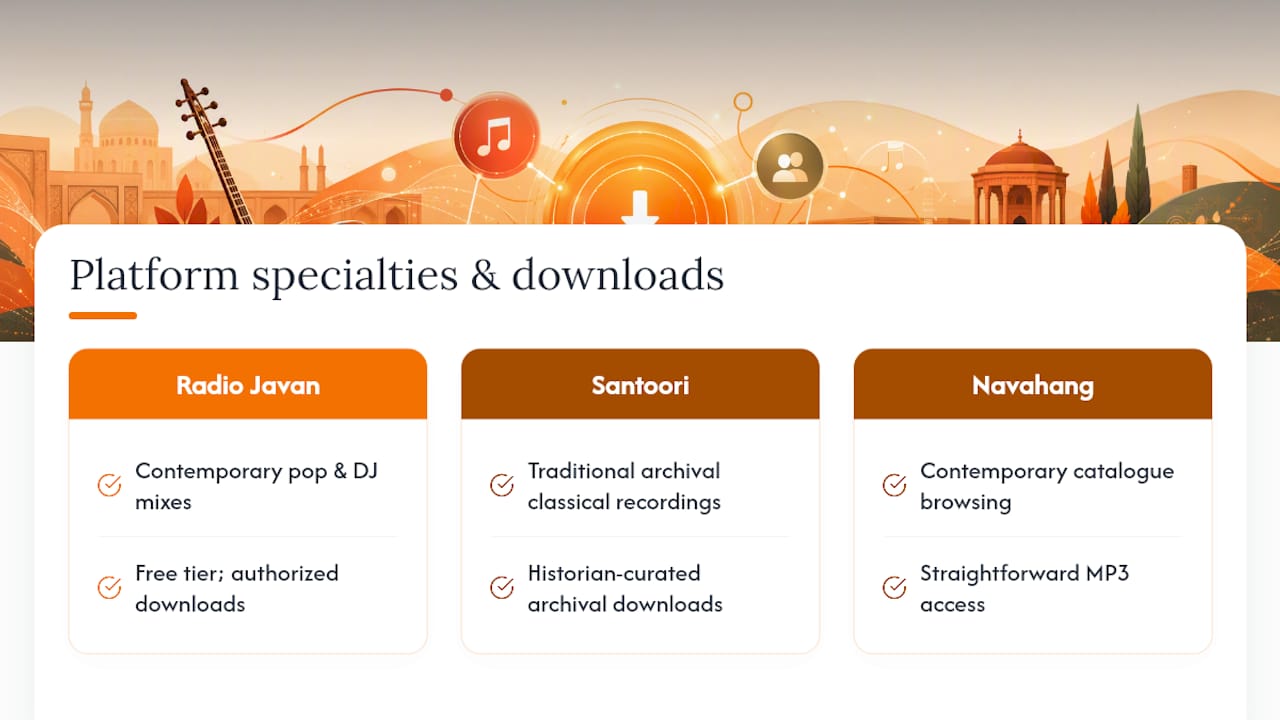
No single app covers everything. Radio Javan handles contemporary pop and DJ mixes best, while Santoori remains the strongest source for traditional and archival classical recordings.
Can you legally download Persian songs for free?
Yes, when the source is the rights holder or an authorized platform, such as Santoori’s archival downloads or Radio Javan’s free tier. Grabbing copyrighted tracks from unauthorized uploaders carries legal risk.
What’s the difference between Navahang and Santoori?
Navahang focuses on contemporary and catalogue-style browsing with straightforward MP3 access. Santoori specializes in older, historian-curated traditional recordings rarely found elsewhere.
Does Spotify let you download Persian music permanently?
No. Spotify’s offline downloads only work inside the app for Premium subscribers and don’t produce a standalone file you can transfer elsewhere.
What audio format is best for a Persian music collection?
MP3 at 256 to 320 kbps works for everyday listening. FLAC is better for archival storage or DJ use, particularly with older recordings sourced from archival sites.
Sources
- Santoori historical downloads (German page)
- Persian & Iranian Music, Download Free Music on Radio Javan
- Radio Javan on the App Store
- Navahang